QRPA AI business automation
AI business automation system
Record a repeated task once, then run it unattended with 103 built in actions. Flows are stored as text, so they can be reviewed and versioned.
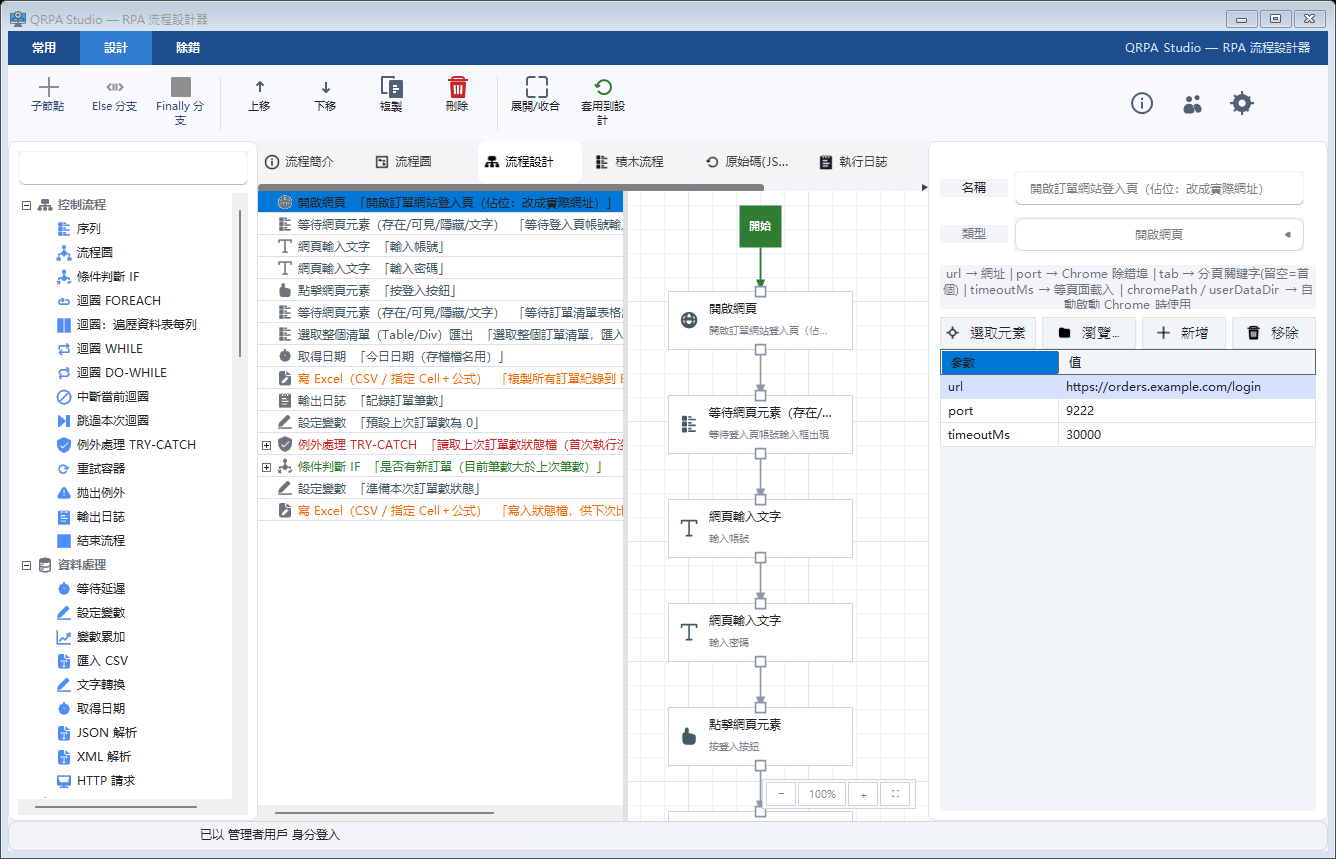
QRPA Studio: action list on the left, flow steps in the middle, activity parameters on the right.
What it does
Inside QRPA
Recorder
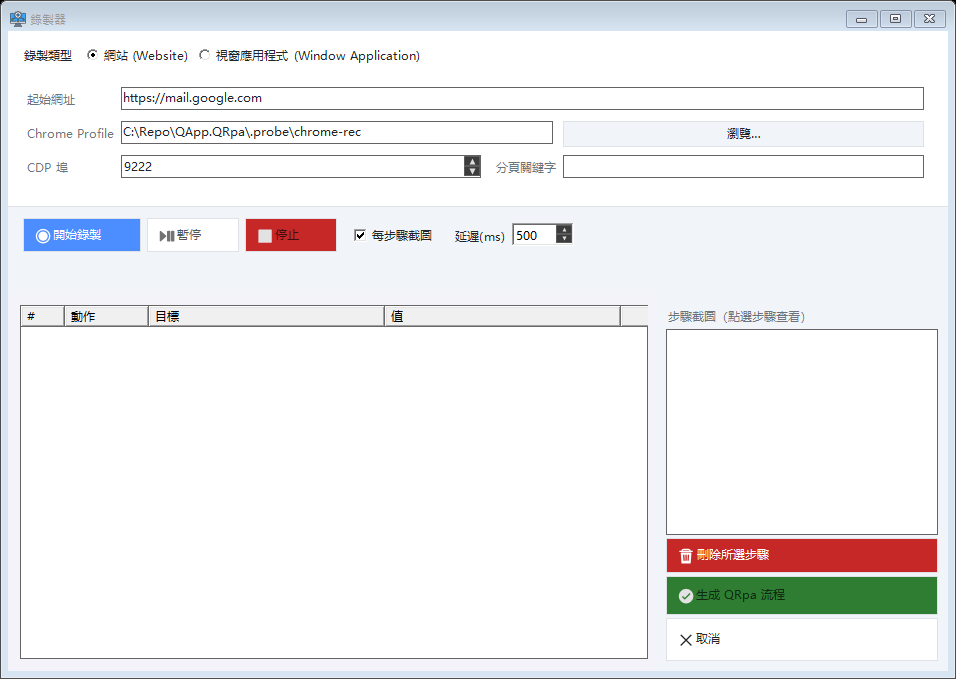
Two key recording of browser or window steps, with variables pulled out automatically.
103 built in actions
OCR, Excel, PDF, barcode and CDP browser control, with no plugins to install.
AI analysis and AI FastTrack
Read email, documents and tables in conversation. Describe the task, let AI build the flow.
Flows as text
.flow.json diffs cleanly and can live in Git alongside the rest of your code.
Screens
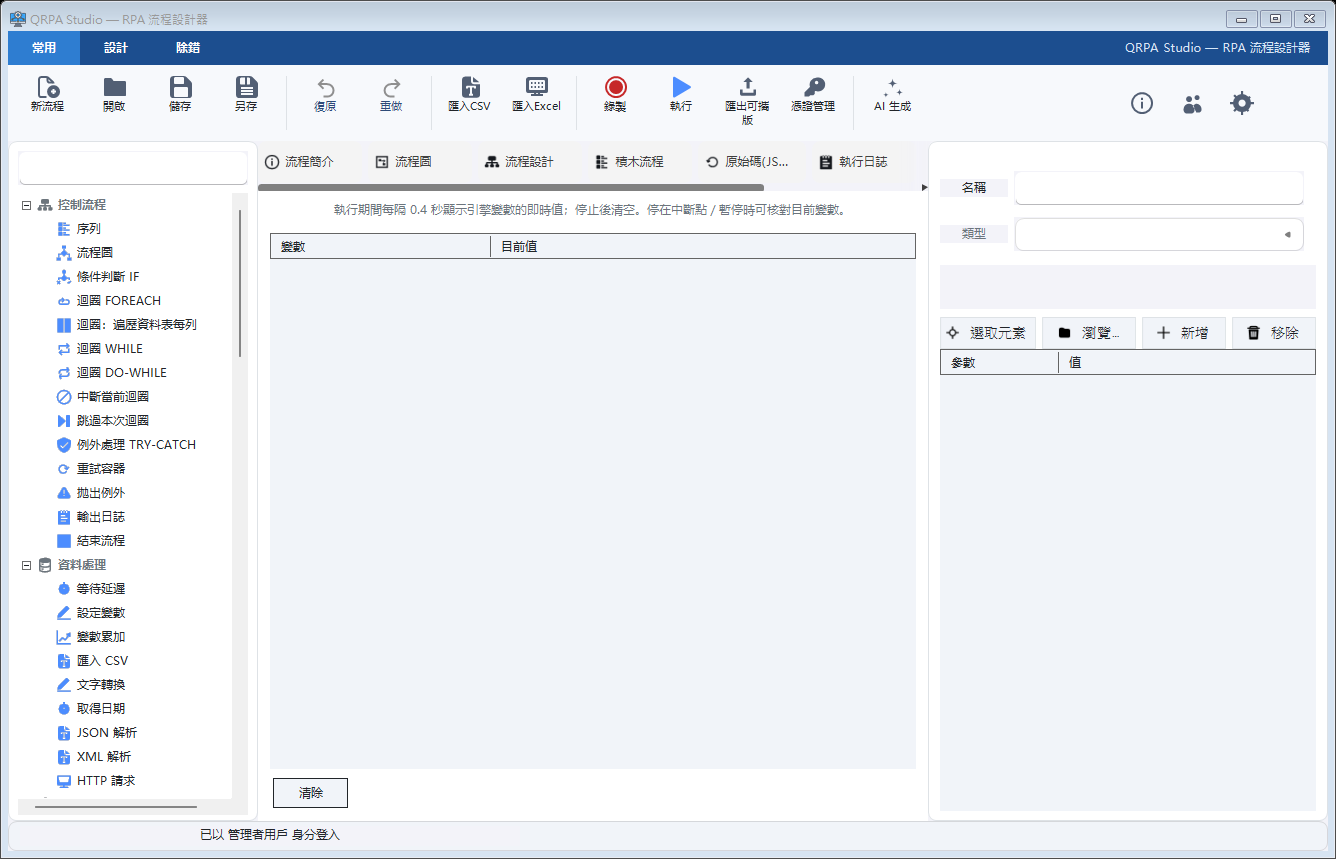
The working interface
Plugin ecosystem
Carrier connectors, source included
Plugins are class libraries that implement IActivityPlugin. Build the DLL, drop it into the plugins folder next to the host, and Robot and Studio load it at start. A different location can be set with --pluginDir.
The repository ships activity sets for DHL, J&T, SF Express, YTO and Shopify, plus a Contoso sample plugin to start your own.
github.com/rex232/QRPA-Plugins01
Build
dotnet build
02
Drop the DLL
Copy into the plugins folder
03
Loads at start
Studio and Robot scan on launch
Supported carriers and orders
DHL Express
Dhl.CreateShipment, Dhl.Label, Dhl.QueryOrder
J&T Express
Jnt.OrderCreate, Jnt.QueryOrder, Jnt.LabelPrint
SF Express
Sf.OrderCreate, Sf.LabelPrint, Sf.QueryOrder
YTO Express
Yto.OrderCreate, Yto.LabelPrint, Yto.QueryOrder
Shopify orders
Eco.PullOrders, Eco.OrderById
Credentials live in QRpa CredentialStore, and flows reference {secret:name}, so nothing is written into .flow.json. The J&T, SF Express and YTO plugins are MIT licensed; DHL, Shopify and the sample plugin carry no declared licence.
Specifications
Technical detail
Every configuration is adjusted to your environment, and confirmed during the demo.
- Platform
- Windows
- Flow format
- .flow.json
- Extensions
- C# (Roslyn) and Python activities
- Execution
- Robot unattended, or Studio step by step
- Deployment
- Single machine or internal network
- Website
- qrpaapp.com
Want to see QRPA on your data?
We run the demo on your own records. Scope and cost are agreed afterwards.